Your venue, super sorted.
Schedule, time clock and bookings in one app your team gets straight away. And every evening you know what your staff cost.
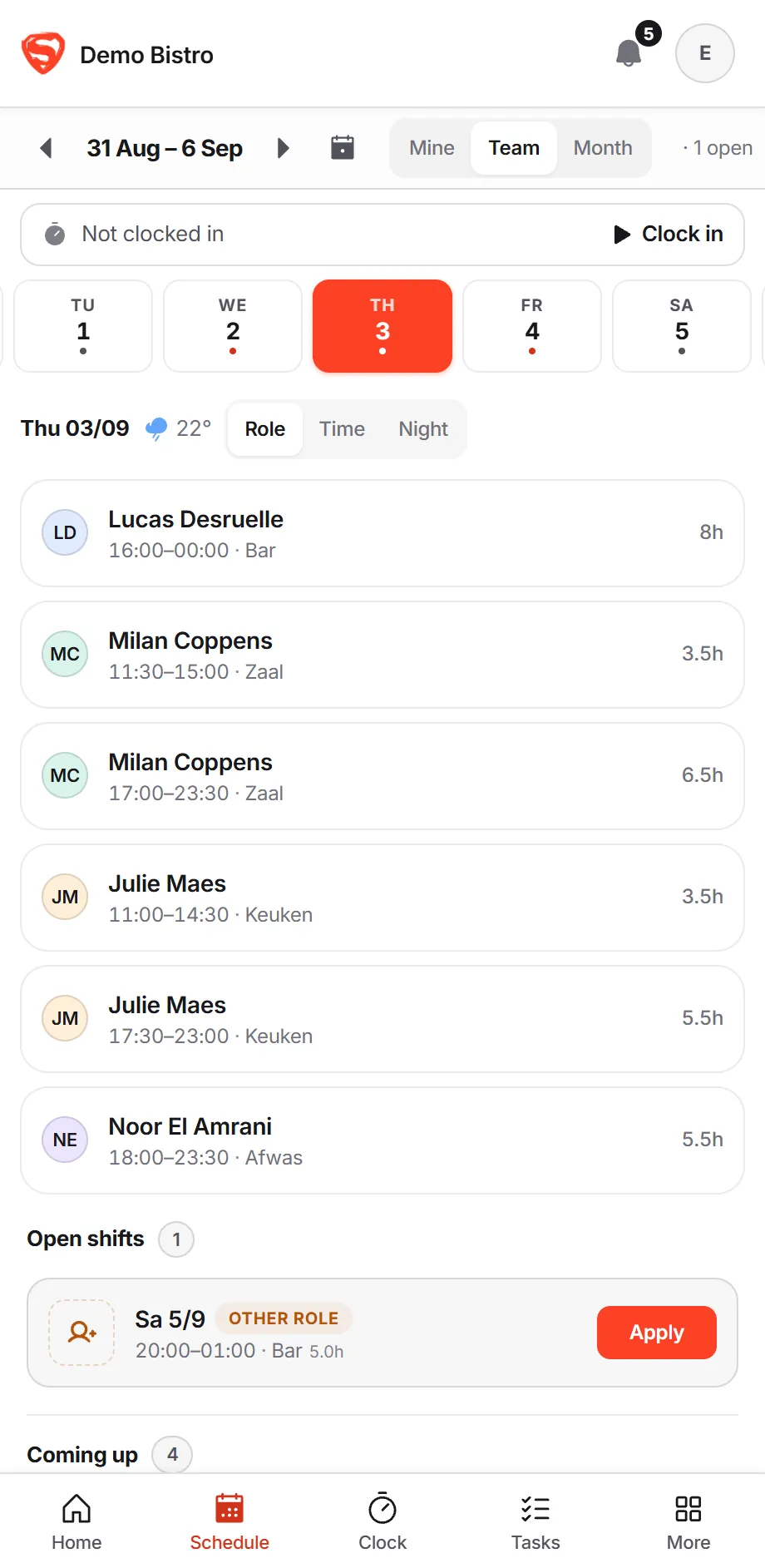
Everything to run your venue, in one app.
Planning is dragging. Sending is one button.
Your team sees the schedule on their phone straight away — they join with a code of three letters and three digits.
Open the app and you know how tonight looks.
Who’s on, who’s already in and what’s waiting on you. One glance before service starts.
- EEmmaFloor · 16:00from 16:00
- YYounèsBar · 16:00from 16:00
- MMilanFloor · 17:00from 17:00
- JJulieKitchen · 17:30from 17:30
- NNoorDish · 17:30from 17:30
- LLucasBar · 20:00from 20:00
See what tonight costs while you plan it.
Every flexi and student at their own rate, worked next to planned. Hours go to your payroll provider in one click.
- Emma16:00–23:30Regular€151
- Milan17:00–23:30Student€101
- Julie17:30–23:00Regular€127
- Lucas20:00–01:00Flexi€83
Bookings, from the first tap to a review on Google.
Your guest books on your own site or through your link. You decide, you reply, and the reviews follow.
- 1Food or drinks, inside or outsideYou choose which options you offer.
- 2How manyUp to the maximum you set.
- 3Which dayDays you are closed cannot be picked.
- 4What timeFull slots are crossed out.
- 18:30Marie Dubois6 guests
- 19:30Sarah VerhoevenBirthday4 guests
- 20:00Kevin DhaeneGluten-free2 guests
One flat price per venue.
Everything included — reservations too. No per-user pricing, no separate modules, no annual contract.
Straight from our database, refreshed hourly. Active = a venue that planned something in the last 30 days. Demo sandboxes are excluded. Figures rounded down.
Flexis, students and PC 302 aren’t a footnote here.
…and so much more
Everything a Belgian horeca venue runs on, in one place.
Just ask. You decide what actually changes.
Ask in plain words what you want changed. The assistant knows your schedule, team, leave, bookings and the weather, and drafts the change. Nothing moves until you tap Apply.
The drafted shift only reaches the schedule after you approved it. What gets applied lands in History as one named row — that is where you take it back.
What the assistant is allowed to look atFourteen read tools, plus one that submits a proposal. There are no others — this is the whole list.
- One week of the schedule
get_week_schedule - Every shift of one person, or of everyone, over a month or a quarter
get_shifts_in_range - Your team, roles and contract types
get_team - Who is available and when
get_availability - Labour cost and hours, planned against clocked
get_labour_cost - What a normal week looks like here
get_schedule_patterns - Bookings and covers per day
get_reservations - The weather forecast for your town
get_weather_forecast - Public holidays and classic peak days
get_calendar_context - Your own events in a date range
get_venue_events - Everything about one event
get_event_context - Open shifts and who applied
get_open_shifts - Who is away: approved leave and pending requests
get_time_off - The time clock next to the schedule
get_clock_vs_schedule
Already work in Claude? Settings → Claude connector wires your own Claude into the same tool layer (MCP), with a key you can replace whenever you like.
The price is the price.
Reservations are always free — on Free too. You upgrade when you decide.
Prices excl. VAT
Built by someone who runs a venue himself.
SuperHoreca is bootstrapped — no investors, no sales team. The product is built by a small team around Gaetan, who runs Café Copain in Ghent himself and plans its schedule every week.
Every feature is tested against one question: would I actually use this on a Sunday night? And the free setup calls? He takes those himself.
Book a free setup callHonest answers to real questions
Is the free plan really free?
Yes. You start with 30 days of Ultra, everything switched on, no card. After that you move to Free automatically: up to 10 staff, no time limit. Your data stays and there is nothing to cancel.
Am I locked into anything?
No. Cancel monthly, no annual contract, no auto-renewal. You press stop, it stops.
We schedule in Excel and WhatsApp today — how do we switch?
You build your first week in minutes, or book a free setup call and we import your current schedule together. Your staff only have to click a link.
What about GDPR and my data?
Data stays in the EU; the Data Processing Agreement and every subprocessor are published right on the site. No forms, no fuss.
Do you file Dimona?
No — deliberately. Dimona is your payroll office’s job; we deliver the timesheets in the formats they accept. If you want Dimona filed straight from your scheduling tool, look at Shyfter.
My team speaks Dutch and French. Does that work?
Yes. The app itself is in English — one language every mixed team can read. Everything your guests see (reservation emails, newsletters) follows your venue’s language: Dutch, French or English.
Why is SuperShift now called SuperHoreca?
We started as a scheduling app, but reservations, time tracking, orders and tasks now run through it too. The old name no longer covered what it does — and software with a similar name already existed in Germany, so one clear name of our own was better for everyone. Same app, same login, same prices; old links redirect automatically.
What about the mandatory time registration from 2027?
The Belgian federal government wants every employer to register working time from 1 January 2027, with a transition period to the end of March. This is announced policy: the draft went to the National Labour Council and still has to clear parliament, so the details and the penalties are not settled. What is already clear: it has to be the hours actually worked, not the hours planned. SuperHoreca has a time clock for that — a QR code on a tablet by the door or on the person’s own phone — on every plan, the free one included. We are not saying that makes you compliant; that judgement belongs to your payroll office. We make sure the hours exist.
First schedule out the door tonight?
Set up today, for free — your team just gets a link.
Free up to 10 staff, no card · Cancel monthly